
Viral Academy
Welcome,
NAVIGATION
Module
7
.
Lesson
1
How to Get Monetised on YouTube
Before you can run ads on your videos and start getting paid, you need to get accepted into the YouTube Partner Program. Here's exactly how it works and what you need to hit.
Stage 1. Basic access
500 subscribers
3 million engaged Shorts views in 90 days
Stage 2. Full ad revenue
1,000 subscribers
10 million engaged Shorts views in 90 days
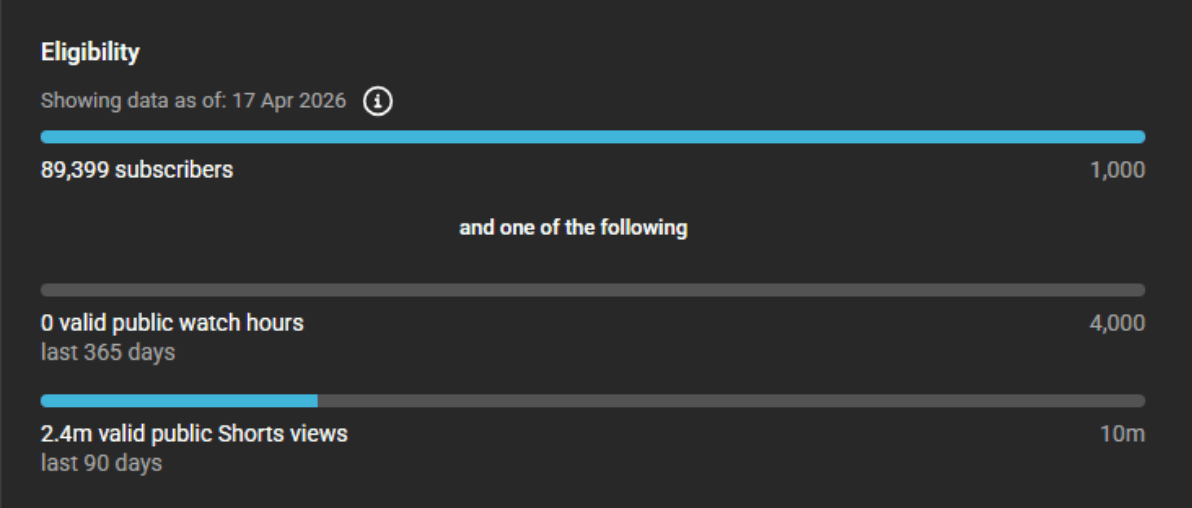
Hit those numbers, apply, and you're in the queue.
—
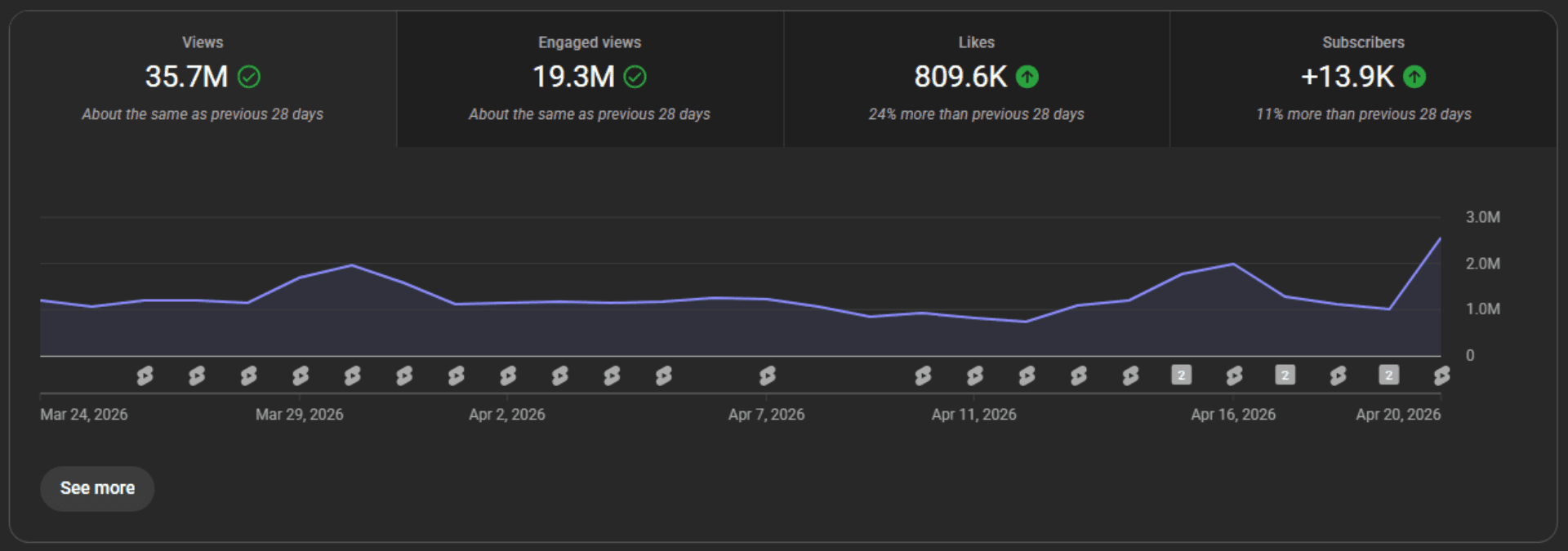
Now you may notice that there are two types of views that show up on your YouTube analytics: Views & Engaged Views.
Views: How many times your Short was started, replayed, or scrolled past. A person watching your Short twice counts as 2 views.
Engaged views: How many people actually watched your video meaningfully. This is the number that counts towards monetisation and YPP.
—
There are two types of short-form content that gets monetised more than others:
Podcast Style
AI Voice Commentary
Let's go through both and them and what you can do to increase the odds of getting accepted.
—
Podcast Style
This type of style is where you repackage existing podcasts or interviews as Shorts. The most common mistake people make when building channels in this style is leaving the screen static the whole video. Meaning you haven't changed anything, you've just slapped on a colour correction and captions. That is not original content. YouTube's reviewers hate it and so does the algorithm.
The fix is simple. Add B-roll at least every 2 seconds. Stock footage, text overlays, anything visual that matches what's being said. You can find free stock footages on websites such as Pexels and Pixabay. But make sure the footage you're using isn't overly popular. If everyone is using the same clips, YouTube will notice.
Here is an example of what excellent B-roll usage looks like:
How to apply it in practice:
Listen to what the speaker is saying. If they mention food, find B-roll related to food: a burger, a restaurant, whatever fits the context.
Drop that clip in over the audio at the exact moment they say it.
If they keep talking about the same topic for longer than 2 seconds, add another related clip. Keep cycling through similar footage until the topic changes.
When the topic shifts, your B-roll shifts with it.
Think of it like a visual translation of the audio. Whatever is being said, something relevant should always be on screen.
No static images for more than 2 seconds
Match your B-roll to the audio
Use more original stock footage where possible
—
AI Voice Commentary
This is where you write an original script, generate a voiceover using a tool like ElevenLabs, and pair it with relevant footage.
Now some channels in this style only use one AI voice sentence, an intro or hook, and then let the "reused" clips and footage do the rest. That can still get monetised. However is more on the risky side.
YouTube's own guidelines say that edited footage from other creators where you add a storyline and commentary is allowed.
That said, the more original AI commentary you add throughout the video the better your chances of getting accepted and staying monetised long term. The more AI voice is included in your Short compared to reused footage, the less risk.
A few rules to keep in mind:
Write original scripts, never copy paste from other sources
Use a natural sounding AI voice, ElevenLabs is the gold standard
The more AI commentary throughout the video the better
Mix it with B-roll to make your video more original
—
A Note on Rejections
A lot of faceless channels get rejected even when doing everything right. YouTube's review process isn't consistent, two channels running the exact same format can get completely different results. Some get away with pushing the guidelines, others get rejected doing great work. It happens.
The good news is you can appeal, and appeals work. We have a full lesson on how to make a winning one so if you get rejected don't panic.
Before we get into YPP, you need a Google AdSense account set up first. That's what we're covering in the next lesson.