Viral Academy
Welcome,
NAVIGATION
Module
3
.
Lesson
3
Setting Up Your Channel
Before you start posting, your channel needs to look the part. A channel with no banner, no logo, and a default name looks untrustworthy.
One rule that I use for customising my channel is this: Keep it simple.
And to not overthink this process, as it has little affect on whether you will blow up or not. But it definitely will help with establishing a strong brand. (So two rules…)
—
Channel Name
Keep it simple. Your channel name should be:
Easy to remember
Not already taken by a big channel
2-3 words max
Avoid putting numbers or underscores in your name. It looks unpolished and harder to search for.
Eg. Your niche is Shark Tank clips
SharkWealth
DolphinTank
SharkDealsMoments
Keep it simple and make sure each word used for your channel name relates to your niche.
—
Logo
Your logo doesn't need to be complicated. A clean, simple design works better than something busy. You can make one for free using Canva.
Here's how:
Go to canva.com and create a free account
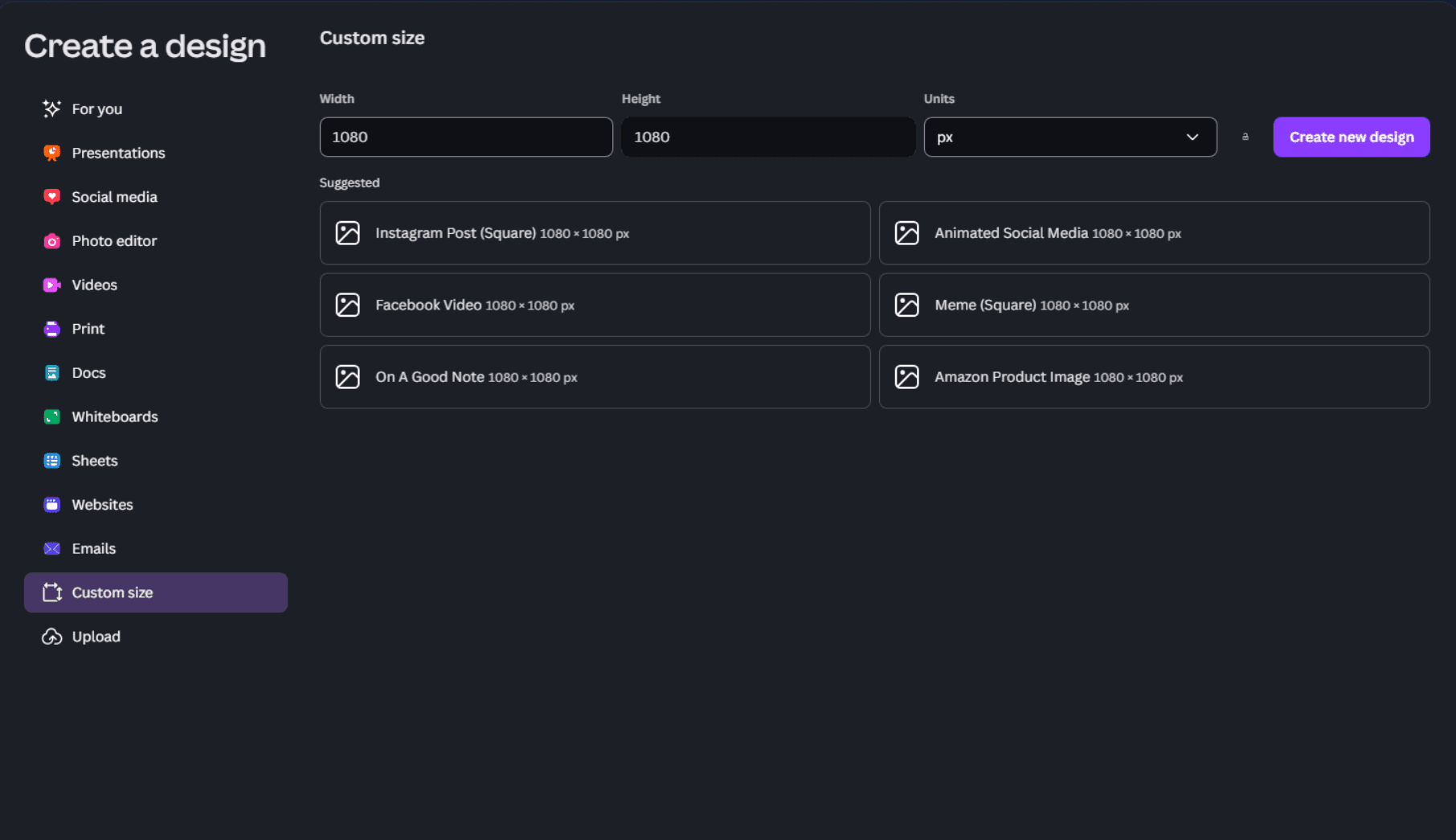
Create a square design in 1080 x 1080px
3. Choose a simple background colour (black or white, with a small gradient if you like)
4. Keep it simple, one icon relating to your channel works fine
5. Make the icon small enough so it fits in a circle
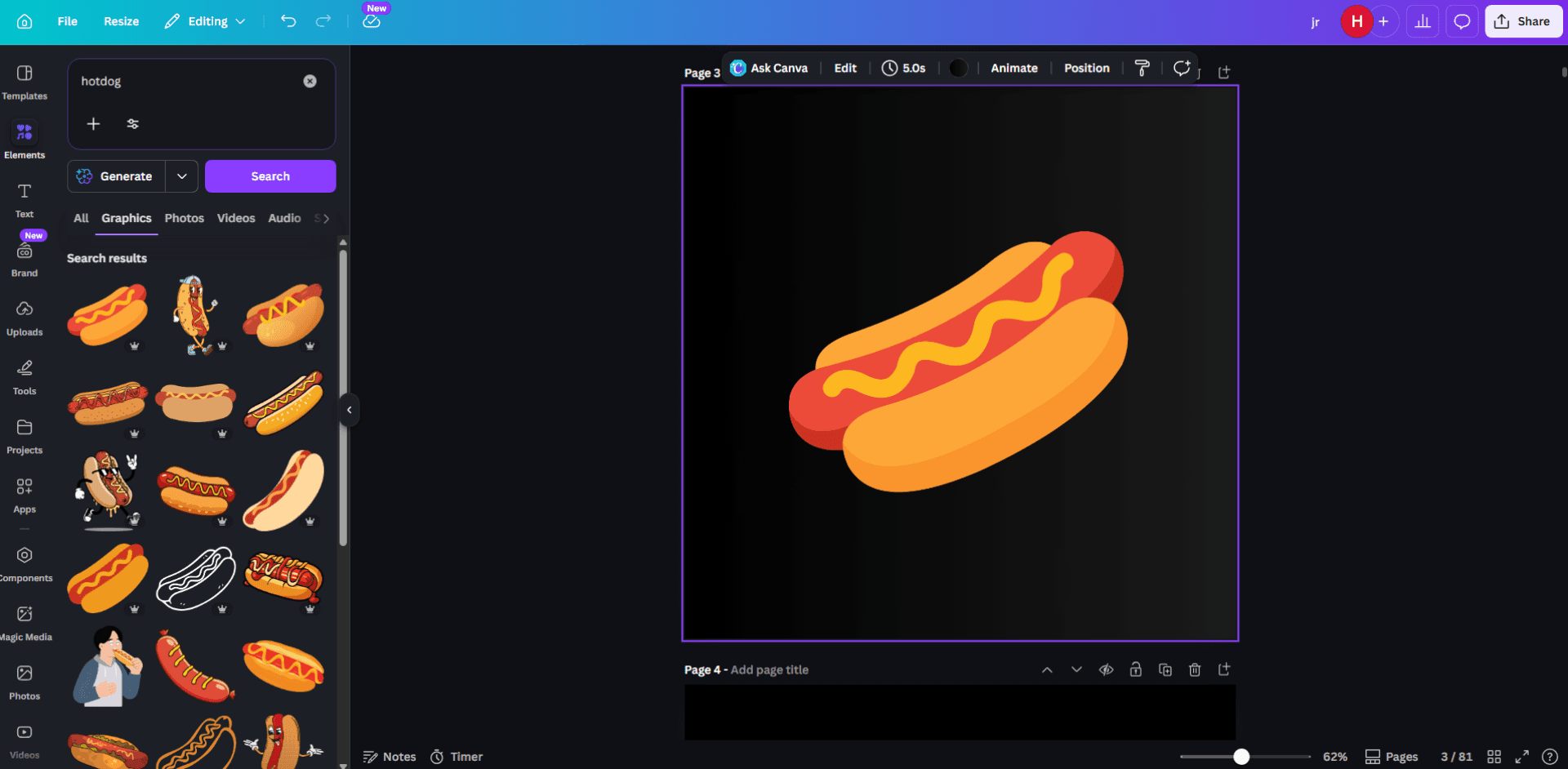
6. Download as PNG and upload to your channel
—
Banner & Channel Description
For banners: Same process as Canva, but different resolution. Search up YouTube banner templates for the actual sizing guides for where to place your icon and channel name text.
For channel description: Write 2 to 3 sentences max. What your channel is about and who it's for. Keep it straight to the point.
But overall these two are not necessary. Many of our channels do not have banners and descriptions. The most important thing in customisation is your name and logo.